
When I was helping my son study for an exam a week ago, I thought that a flashcard app would be helpful.
I looked at Anki and other flashcard apps that already exist but thought they were quite ugly. I wanted a more appealing app with an algorithm for spaced‑repetition learning effectively. This felt like a very small and easy project to build myself with my trusty companion, Cursor.
I decided to keep track of the changes and take some progress pics this time and this is the post where I describe what I did, step by step. This is just how I did this specific quick app and isn’t necessarily the ultimate way of doing it.
Day 1 – idea
I very quickly read through the basics of an algorithm for spaced repetition and wrote a quick description of my app. At 15:49 I gave Cursor the description and asked for feedback. (If you’re curious, you can find the first rough draft here.)
Version confusion
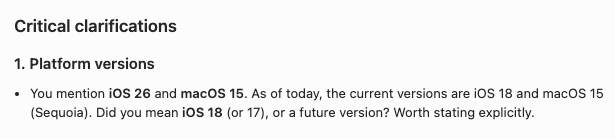
One thing worth watching out for is that Cursor often targets an older SDK and can use deprecated features when generating code. In this example Cursor was wrong about the current iOS version (as of writing this blog post the latest version is 26.2.1, since January 26, 2026). Cursor’s suggestion iOS 18 was released in 2024.
Algorithms
I asked Cursor for feedback on how to implement the correct algorithms for spaced repetition. Cursor quickly got the Anki algoritm (open source) and gave some suggestions for clarifications in my description.
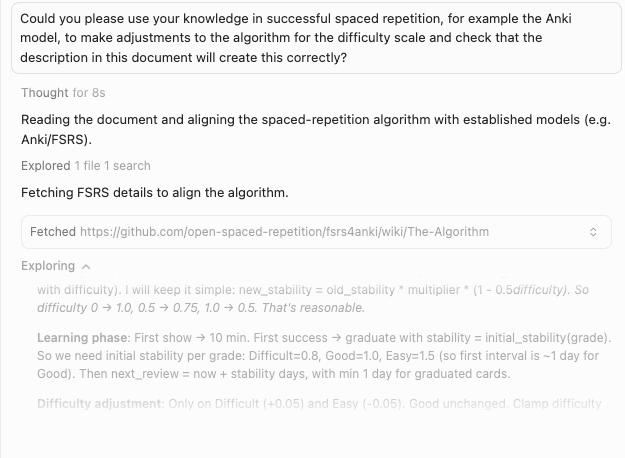
Discussing the algorithm for spaced repetition
I also copied the cursor rules I used for my previous app FoodBadger (more about that app in a future blog post) and asked Cursor for feedback. We made a few quick adjustments, and then we got started.
First version
Exactly one hour later (16:49), I had set up the Xcode project, started a Git repo, created a bunch of code with Cursor and ended up with an app where I could:
- Create a topic
- Add cards with: answer, question, explanation, optional image, and a setting for whether the card is reversible or not.
- Start learning. Choose 10/25/50 flashcards and go through them.
- View statistics after every session, including streaks and total stats.
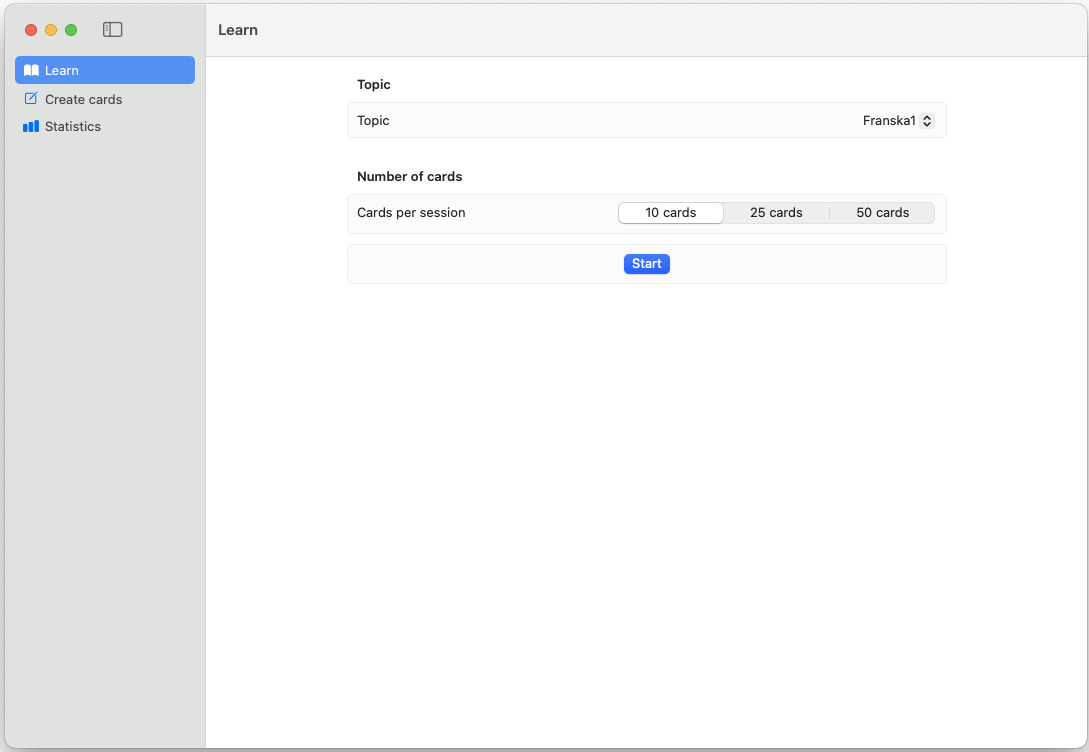
One hour in - very first version
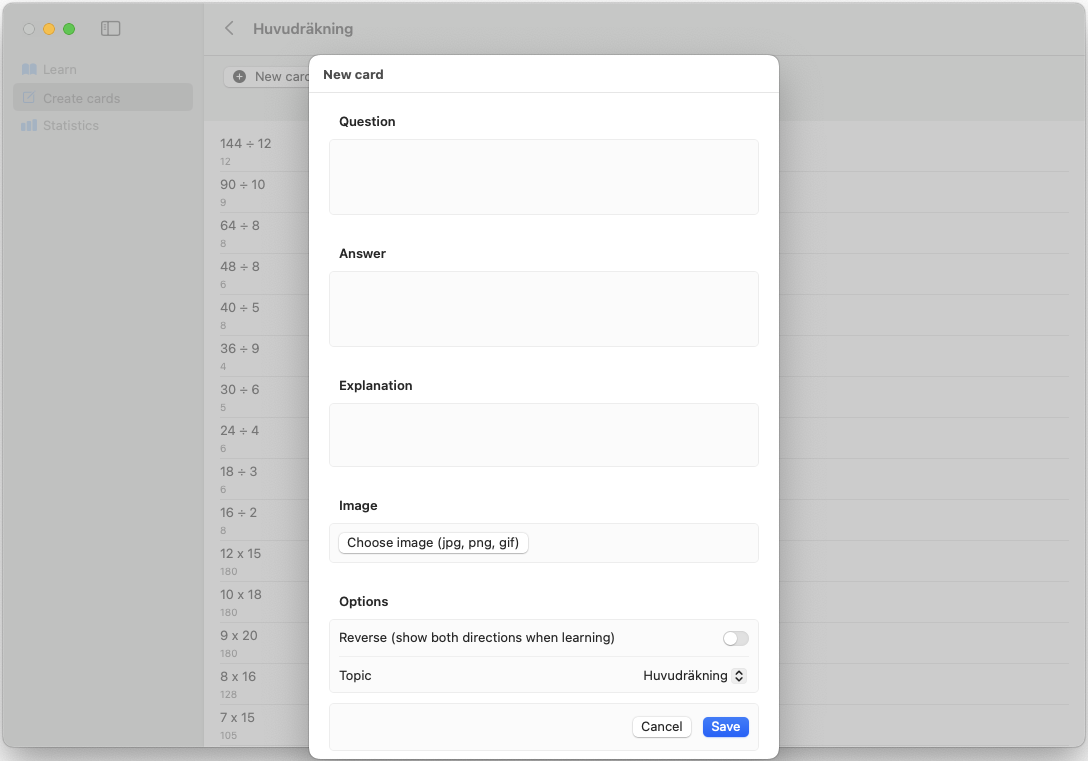
One hour in - creating cards
One more hour (two hours of implementation in total), the app also had:
- Import function for a CSV or Excel with the data for the flashcards in the format of question; answer; explanation.
- A progress bar for the Learn-session, for example “5 cards left”.
- A setting for making all cards in a deck reversible (for example for Swedish to French, the app generates cards both ways).
I asked Chatty (ChatGPT) to generate word lists and sentences for my kids in English and French, adjusted for the correct level, asked Chatty to make them for specific topics and relevant for the National exams. I then tested the app with these lists.
Day 2 – design and character
The next day, I wanted to make the app more appealing, so I asked Cursor:
You are a very skilled senior designer. How would you make the app more appealing to a young audience (pre-teens and teens) so they want to use this app?
Cursor had the same idea I was already considering: “turn the badger into a mascot.” He also suggested adding badges, achievements, and stats at the end of each session.
I already knew that I wanted the badger to wear something purple, so I asked Cursor to create a color scheme and a design system and Cursor suggested:
- Purple = primary accent (buttons, links, progress, focus).
- Brown = warmth and grounding (used in small doses so it doesn’t dominate).
- Black = text and strong contrast.
- Backgrounds = light neutrals so the mascot and purple stand out.
I added another level —Subjects— before decks. For example, a Subject called Math could contain decks for Algebra, Geometry, etc. I realized that there would be a lot of decks very fast and it would be difficult to find the right one otherwise (I had already created a bunch). I also made a few minor tweaks to buttons and lists to keep everything more coherent.
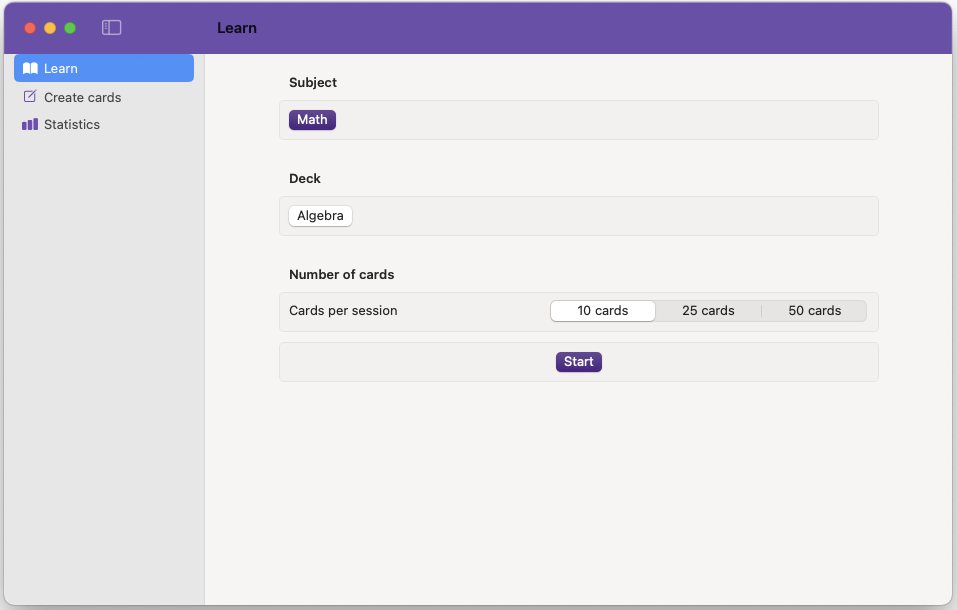
Learning view
Making of the learning badger
I first made a small attempt to figure out how to animate the badger, but that quickly felt too complicated for the amount of effort I was ready to invest in the app at that time.
I asked Chatty to generate a mascot and a bunch of images for my app (the last paragraph is something Chatty has suggested that I added to image generation for my blog posts before):
Can you create a character for me that we can use for several images? The goal is a flat vector mascot that can be used in an MacOS and iOS app. It’s a learning badger. The badger is cute, smart and friendly. It’s non-gendered, and is wearing a purple hoodie, and very baggy grey-black jeans and sneakers. Cozy, rounded character.
Illustrated anime style only, not photorealistic, not realistic, not photographic, no live-action appearance, no realistic skin texture, no camera lens effects. Storybook atmosphere. Clean anatomy, no extra limbs.

Badger mascot
Then I could just create a few different ones easily:
Could you create an image of this character looking happy and determined, surrounded by mathematical symbols?

Math badger
Adding the badger to the app
I then asked Cursor to add these images to the corresponding topics and places, for example:
Let’s make some default subjects - since this app will be used by Swedish kids to start with I will name the subjects in Swedish:
- Matte (badger_math.png)
- Språk (badger_languages.png)
- NO (badger_tech.png)
- For custom/user created topics let use badger_books.png
- For statistics badger_trophy.png
- For end of card session badger_celebrating.png
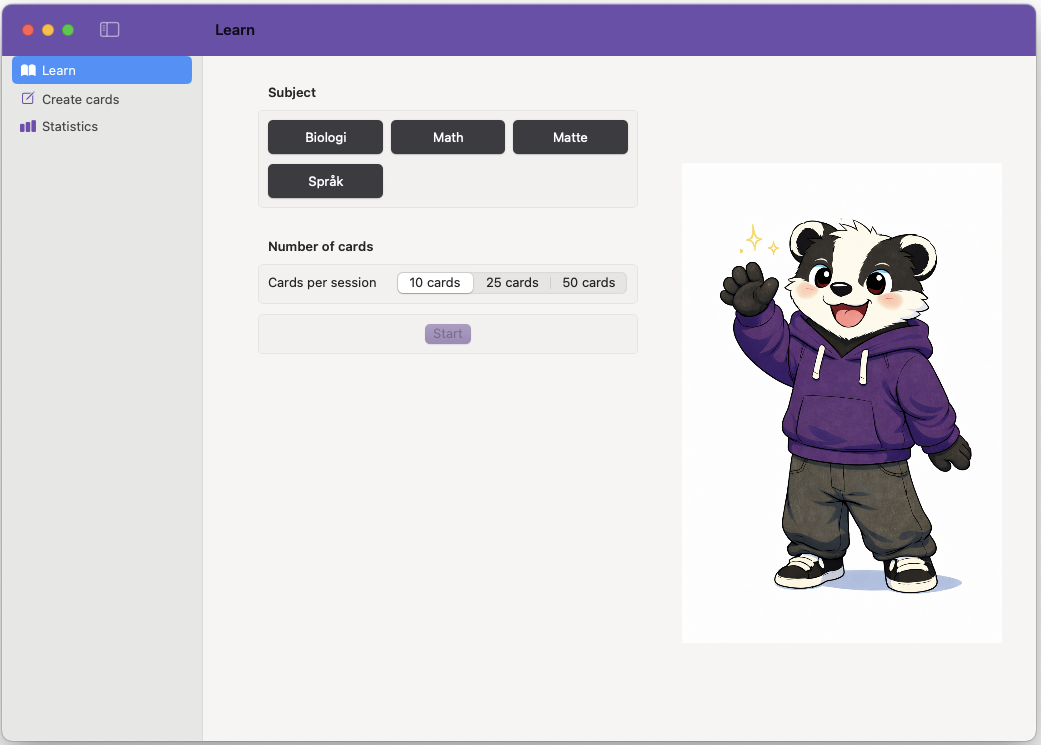
App with badger, in desperate need of new background colors
Importing and exporting
One thing that has always been important to me in all my apps is the ability to easily import and export data. I know I might break something when I continue working on the app and drastically change the data, so I want to make sure I don’t lose anything.
In this case I also knew I wanted to be able to share flashcards/decks between users and devices. I definitely didn’t want to sit and manually create each card on a phone or iPad, but wanted to at least easily share between my computer and iOS devices. I wanted a simple solution, and a CSV file seemed like a very easy way to add words and questions. I later added a way to export a deck with images as well.
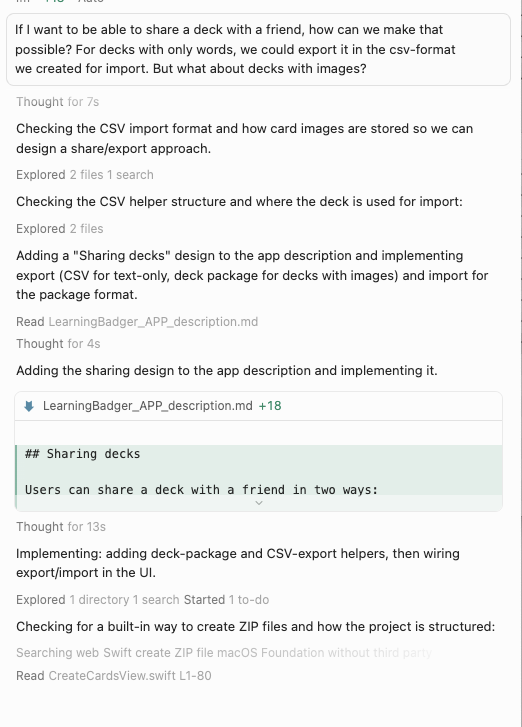
Discussing import/export with cursor
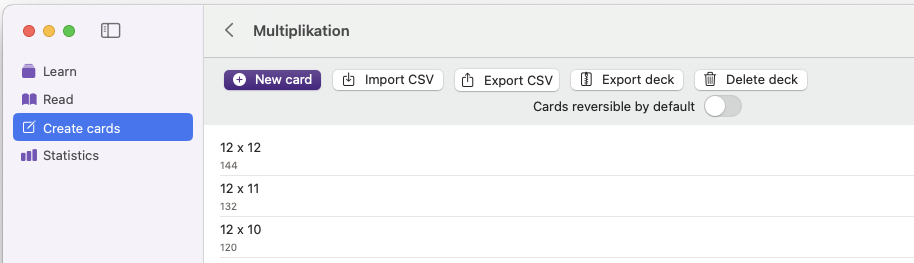
Import and export a deck
Getting stuck
I started trying out the app in the iOS simulator and got stuck in that the app wasn’t full screen. Frustrating. Cursor and I tried out adding “Requires full screen” in Xcode, but that didn’t help. When Cursor started trying out random things, I remembered that I had had the same problem in FoodBadger. I asked Cursor to look at the FoodBadger code and solve it in the same way, but even though Cursor did that, the problem persisted.
I quickly searched around myself and found that the app needed a Launch Screen to get into fullscreen. This was easier to figure out myself than letting Cursor continue to dig random holes in the code. Cursor trying to solve the problem
Day 3 – Feedback and testing
Day three, I started testing it for real on my iPad, not just in the simulator.
I added a new mode —Read— for simply going through the flashcards without affecting the stats.
I fought with the app icon; it didn’t display correctly on iOS, though it worked fine on macOS. This was very annoying, and even after reading up on how to create the icon and discussing it with Cursor, it remained gray.
User testing
I let my kids try it out. Their immediate feedback was that the app needed sound effects. I searched for free sounds and added a few: one for flipping between cards, and separate sounds for success and failure.
Quiz
Another feature request was quizzes, so I quickly implemented a quiz mode where the user sees a question and three answer options. When importing from a CSV, the format is: question; correct answer; wrong answer; wrong answer
To keep things simple, I added quizzes as a separate subject with its own settings, distinct from the regular cards.
The next feature request from my son is to add a timer, allowing users to race themselves when answering questions.
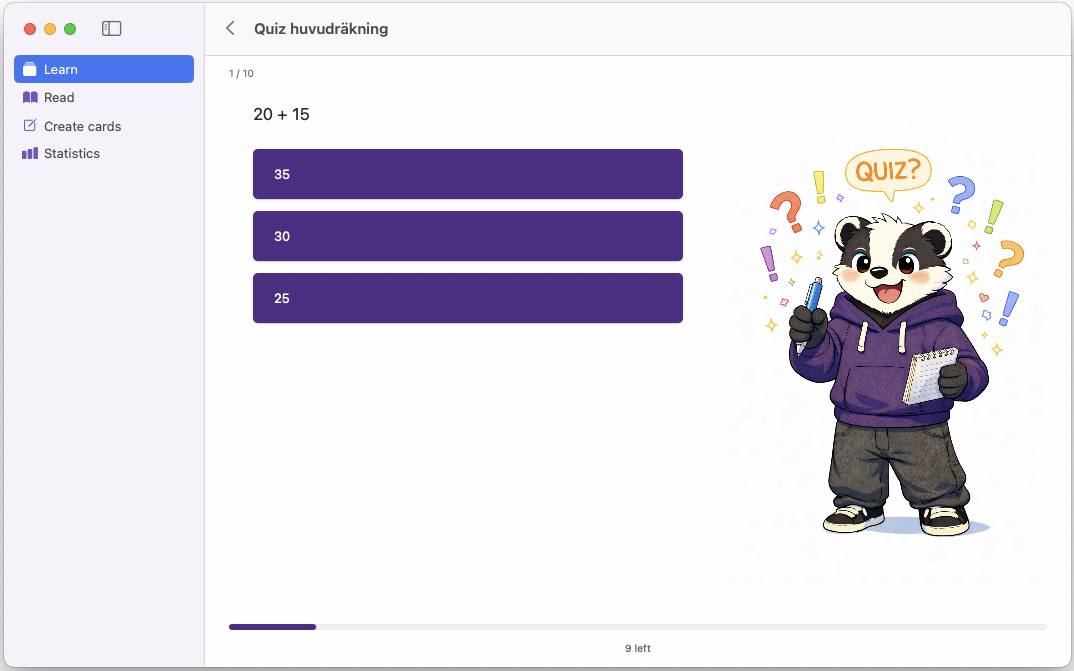
Quiz view
Current app
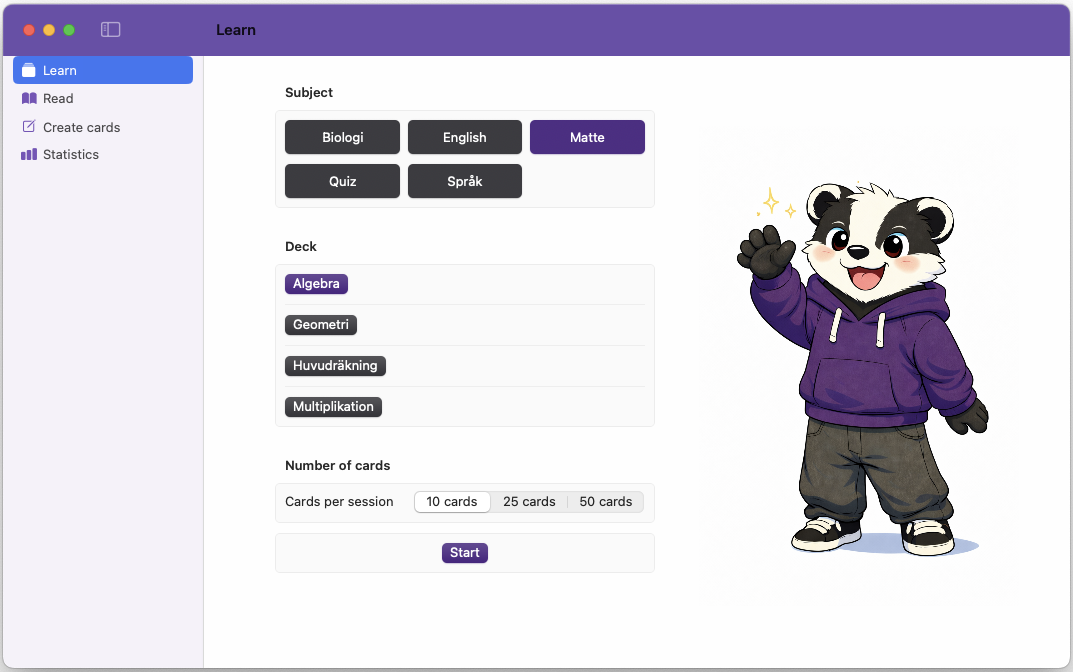
Choose topic
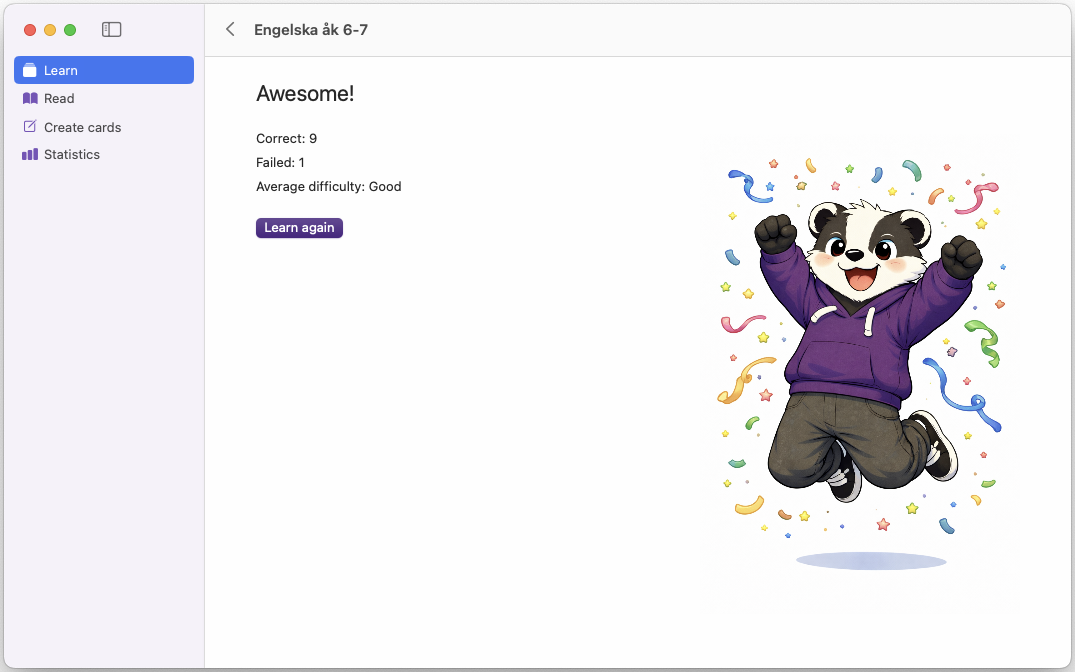
Success screen
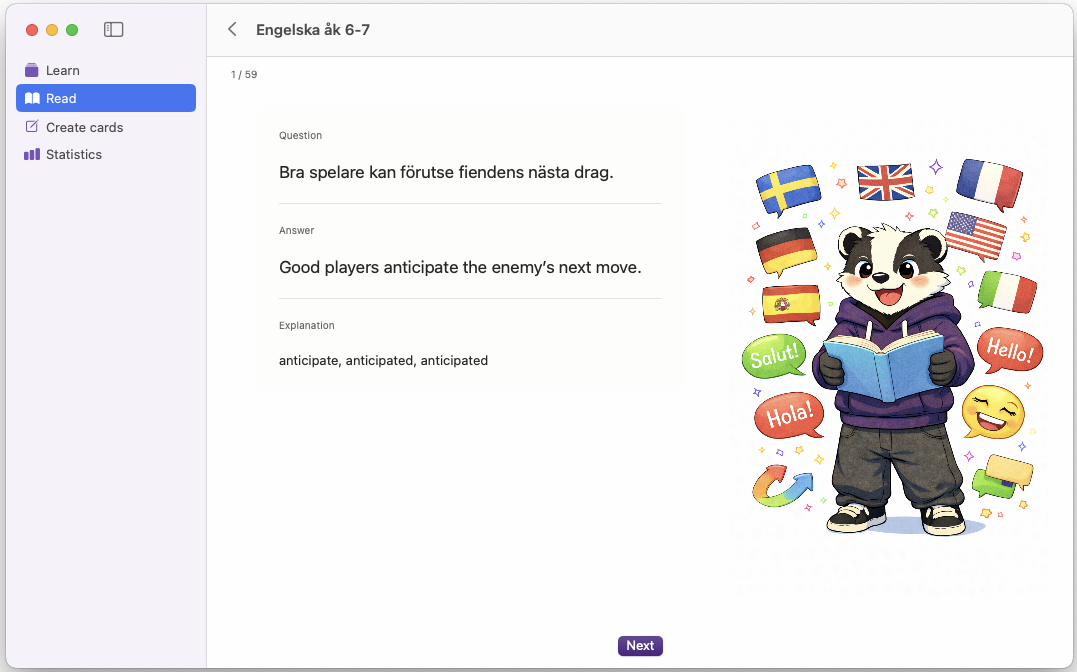
Read view
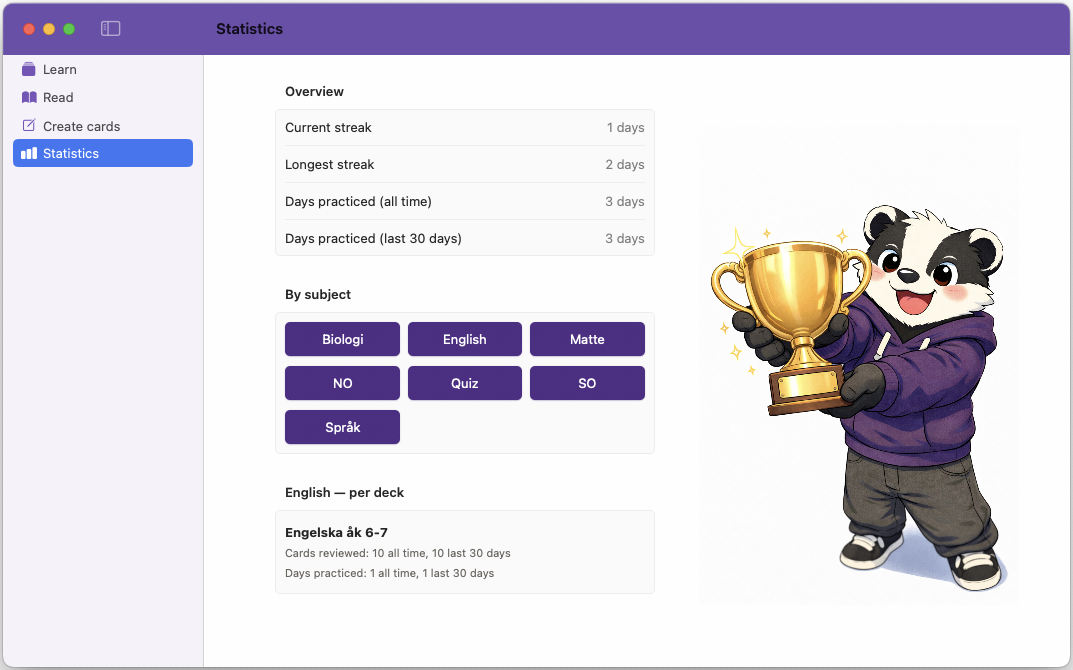
Statistics
iOS version
iOS version iOS version on iPad, question iOS version on iPad, answer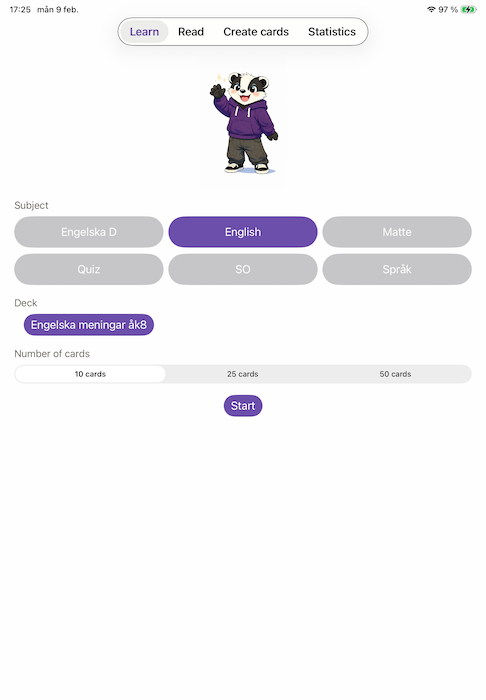
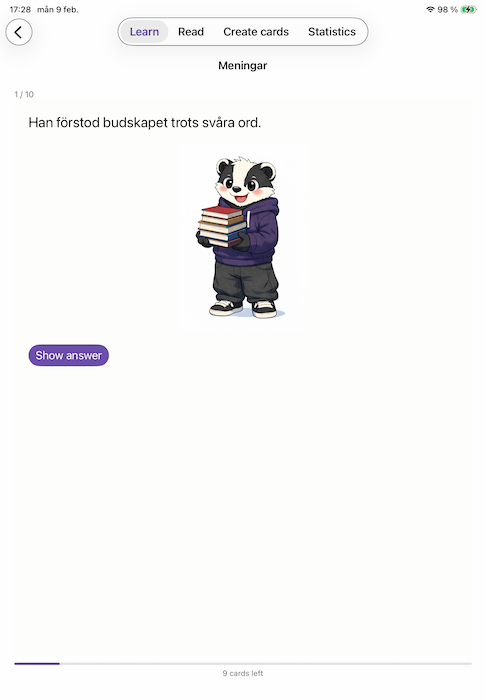
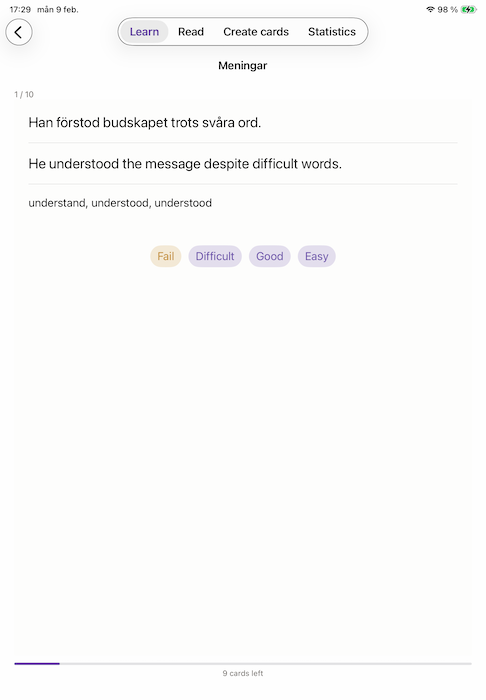
Total time spent so far is ~ 9,5–10 hours:
- 2026-01-30 (Thu) 15 commits, between 15:49 and 19:20 with dinner break
- 2026-01-31 (Fri) 37 commits, between 15:00 and 19:00 with dinner break
- 2026-02-01 (Sat) 12 commits, 09:39-12:23 and then adding sound effects at 15:33
Next steps
The app works fine now and can be used as it is. On my feature list I have a few things for future improvements:
- Quiz with timer.
- Achievements and clearer and more fun goals.
- Fix the app icon for iOS, still really ugly.
- Better sized images for iPad vs iPhone in the learning view.
- A new badger? I think the badger is a little bit too childish, and want to make the mascot more suitable for teens, maybe with a more action anime style badger instead.
- Possibly make it easier to use for more advanced math, not sure how yet though.
I will of course add lots of decks and cards. Most of all I want my users to try it out more in real life to find out what needs to be improved or tweaked.
For a real published version, this app will of course be open source under the same licence as Anki, since I asked Cursor to use that as inspiration.
Ideas for future versions
As always this blog post is manually written by me, without AI, so any grammatical or spelling errors are my own.