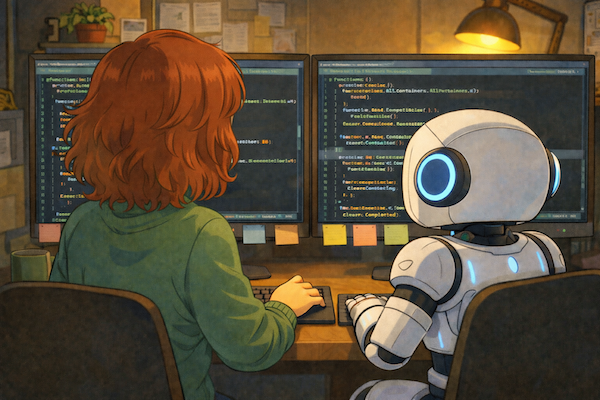
Over the past few months I’ve been vibe‑coding several apps with Cursor. It has been the most fun I’ve had in years, I have learned a lot, and I’m really happy with my apps. I thought I’d write about it, to gather my own thoughts and in case my learnings help someone else.
I’m planning three blog posts on this topic: one about developing with Cursor and tips and tricks (this one) and then one per app. Three quick notes before we get started:
- My definition of vibe-coding for this blog post is using prompts and letting the AI-tool generate the code.
- These blog posts are written entirely by me (no AI), because I enjoy writing.
- This post is just about vibe coding for personal purposes and hobbies; it does not cover a work setting – that’s a topic for another post.
Background
My most recent role was VP of Engineering. I have a computer science degree and started my career as a junior software engineer. I moved into team lead/management early in my career and haven’t been coding for many years, even though I’ve been close to the tech and my engineering teams, my whole career.
I’m currently taking a short break and want to get into the technical details again, be hands-on and learn new things. I have lots of ideas of apps I wanted to try to implement. I felt that this was the perfect opportunity to try using AI-tools for my own coding, after encouraging my engineering teams to try them out.
Getting started
I decided to use Cursor, since that was the tool that I knew best. I created an account and started just trying some things out. I downloaded my own Apple Health data (sleep, exercise data from my Apple Watch) and built a quick protoype that displayed the data and basic trends, just to test Cursor. In this first prototype, I let Cursor make the technical decisions and I ended up with a web app in Python with Flask.
After this quick prototype I knew a bit about how to use Cursor and decided to build two apps that I wanted for myself:
- FoodBadger – logging and finding correlations between foods, lifestyle factors and health outcomes such as sleep, energy and blood pressure.
- MoneyBadger – gathering information from several accounts/banks and categorizing expenses to get a simple overview of your personal finances.
Since both my apps handle sensitive data (finances and health data) I decided to use local storage and not risk having any data leak from a web solution. Since I’m an avid Apple user, I decided to go for native development for MacOS and iOS with Swift.

Describing my app for Cursor (generated by ChatGTP)
I started with writing a description of the app, its different views, and some of the basic features. I asked Cursor for feedback, if there were any gaps in the plan and I tried to explain how I wanted it to be built. My first one started with:
“FoodBadger is an app for logging health metrics, food, and factors such as exercise and medication, to find correlations. The app is a MacOs Native app built in Swift with SwiftUI, with minimum dependencies and built with good engineering practices. There is a clear separation between backend and UI code, so we can create an iOS app later if we want to.”
Cursor raised some good questions about tech choices (for example which database to use). We iterated on my description a few times and discussed how to structure the data. This helped me figure out how I wanted the app to work and was very valuable.
Tips and tricks for getting started and setup
- Writing a description is very valuable (see above). I later described and discussed larger features with Cursor during implementation.
- Even though I gave Cursor strict instructions about the engineering practices I wanted, Cursor frequently forgot them. It’s definitely worth creating a cursor rules file at the start of a project. Example: Even though we set up tests, Cursor didn’t write new tests for new features if I didn’t explicitly asked for it. I knew that rules were important but didn’t create them initially, I will definitely add them in the beginning next time.
Coding, coding, coding…
Cursor wrote all the code for me, even though I messed around in the code every now and then for small adjustments and to learn. Sometimes that ended up with me asking Cursor: “I tried to do X but broke something, what did I do wrong?” and Cursor patiently cleaned up my mess.
In the beginning Cursor presented every code change and asked me to review it. Despite my good intentions, this wasn’t really what I wanted to spend time on.
I usually spent a few hours a day building and testing my apps. According to my stats for my main app, FoodBadger, Cursor and I generated an average of 2000 lines of code per day, with the most productive days reaching ~3000-7700 lines of code. When writing this post, I have worked on that specific app for 20 working days (Dec 19 - Jan 27).

A busy river of code (generated by ChatGTP)
Coding tips and tricks
- It’s a good idea to be very clear with Cursor whether you only want a plan , or want him to start implementing it. Sometimes I just had a question “Would it be possible to do this?” and Cursor started implementing and I had to stop him (yeah, my Cursor persona is male).
- I haven’t written any code in many years and I’ve never touched Swift. It took me a little while to realize that I should trust my knowledge and instinct, when Cursor was very confident but something felt off or didn’t work as expected. I was usually right.
- As for all development: make sure to set up a git repo and to commit early and often. You’ll probably need to revert some crazy changes a few times along the way. (If you haven’t used git, Cursor can help you set everything up.)
- Cursor writes far more detailed git commit messages than I ever would…
Some tasks are even too boring for an AI bot apparently. After several iterations of the app, I started branching it into an Mac version and an iOS version and realized two things: fixing small text changes in both would be a bother and I wanted it to be available in several languages. I decided that adding localization would solve both issues, quickly researched the best approach and asked Cursor to implement it. Cursor was very hesitant to do the actual work. He gladly created instructions and an example, then told me to fix the rest of the strings and files myself – no thanks! I had to ask Cursor twice to continue fixing all the text. “I’ve fixed these views, here are the instructions so you can finish the rest” Cursor replied. It was still too boring for Cursor but he eventually complied.
Other tips and tricks
- Anthropomorphizing Cursor, as a lazy but helpful senior engineer, helped me stay patient when, for the third time in a row, Cursor said “Fixed, it should work now” only to produce 30 new build errors…
- Using Cursor for instructions for how to set up Xcode, what to think about regarding building an iOS app in general and other non-code tasks, was also very helpful. Xcode is not super intuitive in my opinion. Cursor helped me configure my project, add app icons, launch screen files etc. Some settings weren’t where Cursor instructed (they were in an earlier version of Xcode perhaps).
- For someone like me with a thousand ideas: I kept a text file open at all times to write down the next 1-5 prompts/ideas while Cursor worked. I always had a long queue there.
- Since most of my prompts took Cursor a few minutes to do, I multitasked while waiting. I had to remind myself to scroll back up to recall the last request and test the results, before I moved on to the next idea…
- Having friends who are willing to test your app is invaluable, even if they will never be as excited about your app as you are (weird!).
Challenges
- Sometimes Cursor would get stuck, repeatedly trying different solutions over and over again, none of which worked. It was always best to stop Cursor, investigate the problem myself, perhaps google it, and figure it out. I could then tell Cursor what the problem was and guide him in the right direction.
- As just mentioned, Cursor sometimes tried a bunch of different solutions without success. I made sure to revert unsuccessful attempt to avoid adding extra tech debt and asked Cursor to delete any unused code. Otherwise, there would have been a lot of unnecessary code left.

Cursor digging a hole (generated by ChatGTP)
- I needed to stay alert when Cursor suddenly implemented something I did not ask for. As an example: I asked Cursor to change a scale for a specific factor to 1-6, instead of the standard 0-5, but Cursor immediately changed every factor instead.
- A personal challenge for me was to have patience and test everything we just implemented before tossing the next great idea at Cursor.
- Cursor was not always up to date with changes and often tried to build things for a much earlier version of MacOS or iOS. I had to point out that some features were deprecated and suggest newer solutions, several times.
- I set up some basic unit tests, but haven’t had the patience to review them thoroughly to ensure that they cover the most important parts. It remains on my to-do-list.
- It truly helps if to have knowledge in how to estiablish some best engineering practices. Cursor did not suggest writing rules, creating tests or any solid engineering practices for quality. I also had to make sure that we committed early and often, Cursor frequently kept going without commiting changes.
Conclusion
I think vibe-coding can be incredibly powerful (and fun) for these kinds of personal apps and solutions. I would never have had the patience to learn Swift, iOS-development and all the things I needed for this and it would have taken me months to get this far without Cursor. Imagine if almost anyone could build a tailored app for exactly their personal use cases (and have fun along the way)!
One risk I can see is that it’s so easy to churn out a lot of code, it can be tempting to put things into production too quickly. For business-critical tools or live apps with sensitive or customer data, I would definitely add some rigorous testing, guardrails and involve good engineers.
In my upcoming blog posts I will go into more detail about my apps, more tips and tricks and my next steps before they are ready for production.
I hope some of my tips and tricks are helpful if you’re curious to try it out but haven’t mustered the courage or found the time yet. Let me know if you’d like me to expand on any of my tips.